Build Your AI Agent Chatbot in 10 Minutes: No Technical Skills Needed

Key Takeaways
- AI agent chatbots shift from answering questions to executing workflows, improving speed, consistency, and operational efficiency.
- Platform-based approaches enable faster deployment, lower costs, and easier scaling compared to custom-built systems.
- Performance depends heavily on structured training data, continuous updates, and real-world interaction analysis.
- Core use cases like support, lead generation, and booking directly impact cost reduction and conversion rates.
- Successful implementation requires clear use cases, proper testing, and ongoing optimization rather than one-time deployment.
If you look at how most teams handle customer conversations today, the pressure isn’t really coming from volume alone. It’s coming from consistency. One delayed response, one missed follow-up, and the experience starts to break. And the problem is, this doesn’t scale cleanly with people. You can add more support, but the gaps don’t disappear. Which is exactly why an AI chatbot for business becomes relevant, especially when a no-code chatbot builder lets teams build and improve these systems without turning them into a full development project.
To build an AI chatbot, use a platform in which you can create an agent, train it with documents and website content, test responses, and deploy across channels like websites or messaging apps. This method allows businesses to build an AI agent in minutes without coding, infrastructure setup, or long development cycles.
What is an AI Agent Chatbot?
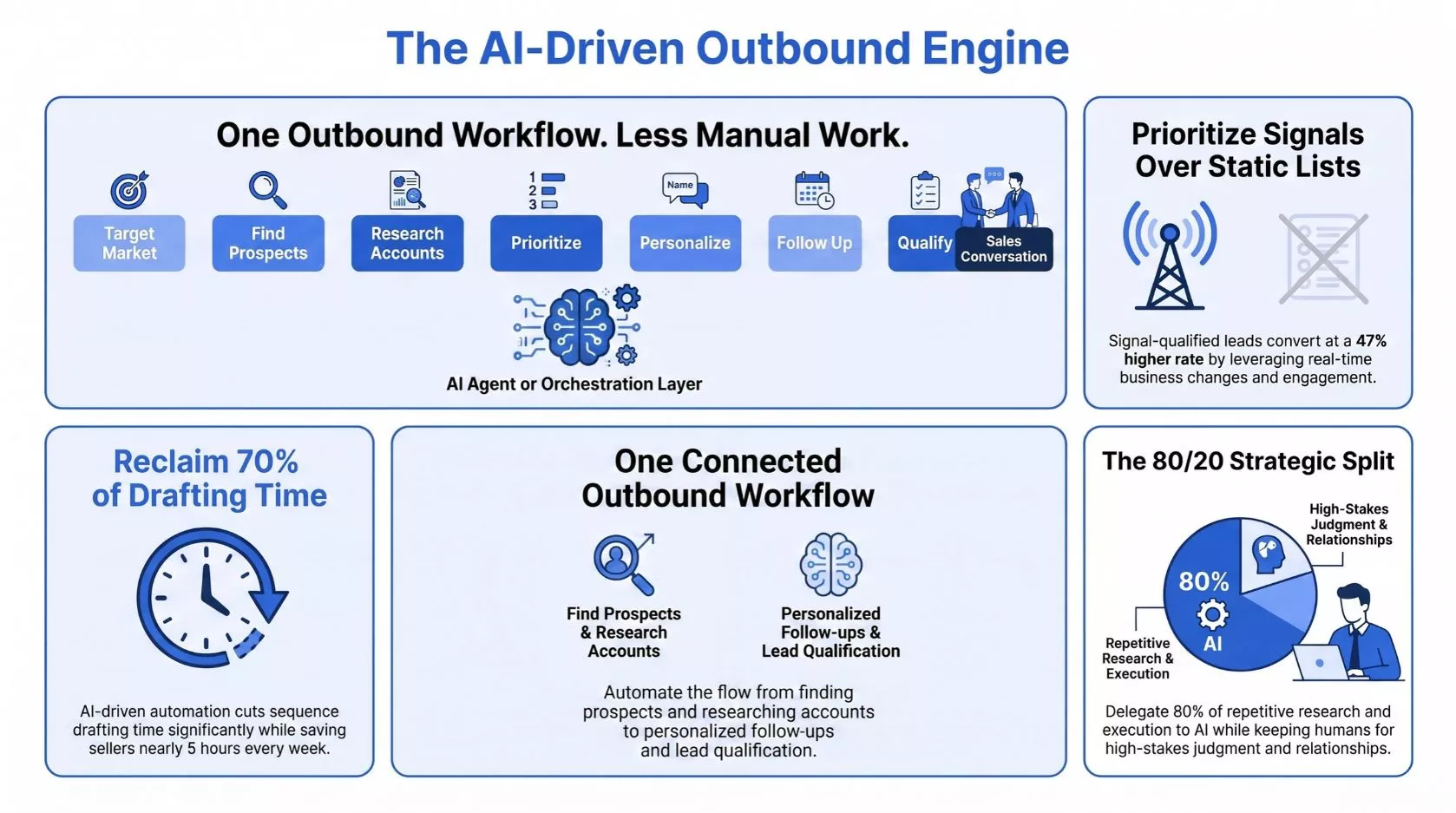
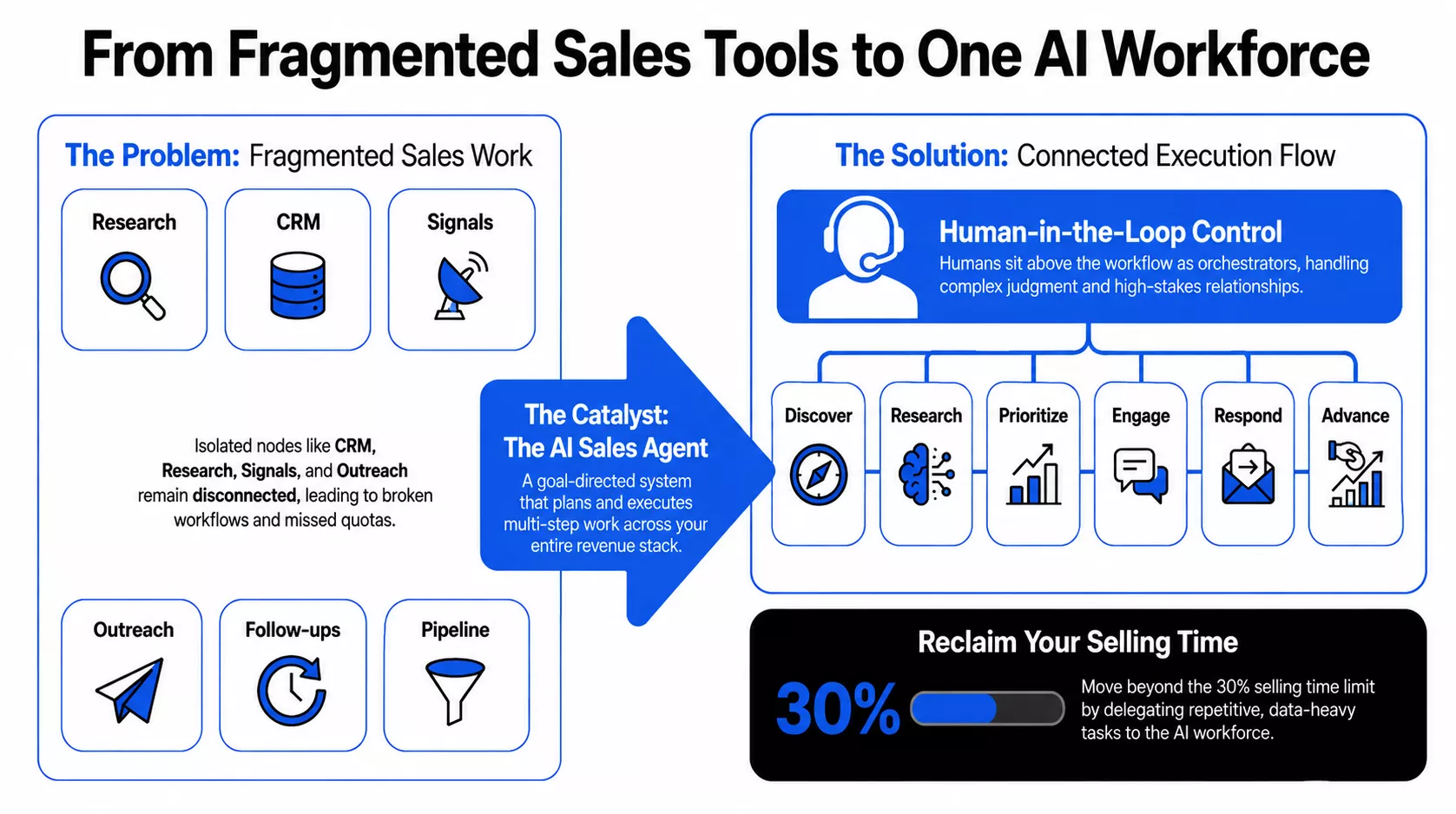
An AI-powered chatbot answers questions, but an intelligent agent executes tasks. The key difference is capability. One responds, while the other acts.
Chatbot vs Agentic System
- A chatbot works as an FAQ responder
- An AI assistant for business operates as a task executor
This means intelligent agents can handle workflows such as lead qualification, booking, and multi-step processes, not just conversations. Agentic systems use Retrieval-Augmented Generation (RAG). This ensures responses come from your business data, not generic outputs. Unlike standard LLMs, these systems stay grounded in documents, knowledge bases, and real inputs.
By 2026, 40% of enterprise applications will include intelligent agents as a core feature. Reports also show that 90% of businesses see improved workflows through automation of complex operations. The shift is from answering queries to executing outcomes. Businesses that adopt early move from support automation to full workflow automation.
Build vs Buy: Should You Develop or Use a Platform
Building an intelligent agent from scratch gives full control, but using an AI chatbot builder delivers speed, scalability, and faster outcomes. The decision depends on operational needs, not preference.
- If speed and iteration matter, a no-code chatbot builder is often the practical choice.
- If deep customization is required, custom development may fit better.
The financial reality in 2026 reinforces this shift. Building a custom enterprise-grade system costs between $50,000 and $400,000+ and takes 6–12 months to deploy. In contrast, platform-based approaches reduce deployment friction and enable launch in minutes, which aligns with the 67% of Fortune 500 companies already using AI-driven systems.
| Criteria | Custom Build (Develop In-House) | AI Chatbot Builder (Platform-Based) | Business Impact |
| Time to Launch | Months of development | Minutes to hours | Faster go-to-market enables quicker ROI |
| Cost Structure | High upfront + ongoing engineering costs | Subscription-based, predictable | Lower risk and controlled spending |
| Scalability | Requires infrastructure planning | Built-in scaling | Handles growth without system redesign |
| Maintenance | Continuous engineering effort required | Managed within the platform | Frees teams from technical overhead |
The real decision is not build vs buy. It is whether your team optimizes for control or for speed of execution. In most cases, businesses that prioritize faster deployment and continuous iteration outperform those that delay value for full control.
Custom builds do not end at deployment. They require continuous monitoring, retraining, and infrastructure updates. Platforms handle model drift, updates, and security automatically, allowing teams to focus on workflows instead of system maintenance.
Build Your AI Chatbot Without Development Delays
Skip months of custom development. Create, train, and launch your AI agent in minutes using a no-code platform designed for real business workflows.
Step-by-Step: How to Build an AI Agent Chatbot in Minutes
To create an AI chatbot in minutes, follow a simple five-step process focused on setup, training, and deployment. You do not need coding or infrastructure to build an AI chatbot without coding. The system works by configuring inputs, not writing logic. If you’re thinking about using this in your day-to-day work, the next question is how it actually gets built.
Step 1: Create Your Agent
Start by creating a new agent and defining its purpose clearly. Focus on one objective, such as support, lead generation, or booking. A well-defined use case improves response accuracy and overall system behavior.
Step 2: Train with Your Data
Upload documents, FAQs, or website links to train the system. Responses are generated based on this data. Accuracy depends entirely on how clear, structured, and up-to-date your content is.
Step 3: Customize the Experience
Adjust the chat interface to align with your brand identity. Set the display name, initial messages, and user prompts. Configure visibility settings to control whether the agent is public or restricted.
Step 4: Test and Validate
Ask real user questions to evaluate how the system responds. Check for clarity, relevance, and completeness. Refine weak responses before deployment to ensure a consistent and reliable user experience.
Step 5: Deploy Across Channels
Deploy the agent where users already interact with your business. Common channels include websites, WhatsApp, and other platforms. Once live, conversations begin immediately, and the system improves through real usage.
Common Use Cases of AI Agent Chatbots in Business
Agentic systems deliver measurable business outcomes by automating workflows rather than just answering questions. They reduce operational costs, improve conversion rates, and increase response speed. Each use case directly maps to a business function, making them practical tools for execution, not just engagement.
Customer Support Automation
An AI chatbot for customer support handles high-volume, repetitive queries instantly while routing complex issues to human agents. Businesses reduce interaction costs from $6.00 to $0.50 per query, achieving a 12x saving while maintaining consistent response quality and faster resolution times across support operations.
Lead Generation
Before: Visitors browse your products and services but leave without taking action.
After: A chatbot for lead generation engages users, asks qualifying questions, and captures intent instantly. Nearly 40% of prospects now complete forms directly through conversational flows, improving conversion speed and lead quality significantly.
Appointment Booking
Imagine this: A potential customer is ready to book, but drops off when the experience becomes difficult to complete. An AI booking assistant guides the user through available time slots and confirms the meeting within the conversation. This approach reduces booking drop-offs by nearly 30% and keeps users engaged throughout the scheduling process.
Internal Knowledge Access
Teams often waste time searching across tools for answers. An AI chatbot for a small business can centralize internal knowledge and respond instantly using trained data. This improves productivity, ensures consistency, and reduces dependency on internal support teams for routine queries.
Sales Assistance
In e-commerce, 78% of businesses use such systems for tasks like order tracking and returns. An AI chatbot for website interactions supports users during decision-making by recommending relevant products or services. This same approach improves sales guidance, reduces friction, and increases conversion rates.
AI Chatbot vs Manual Support: What Changes When You Switch
When you build an AI chatbot, the workflow shifts from human-dependent execution to system-driven operations. Manual support scales linearly with team size, while an AI chatbot for business scales with demand. This change affects cost, speed, and how support improves over time.
| Feature | Manual Support (Linear) | AI-Driven Support (Systemic) |
| Availability | Limited to business hours | 24/7 availability |
| Cost Per Ticket | ~$6.00 per interaction | ~$0.50 per interaction |
| Scaling Model | Hire more staff | Scale infrastructure |
| Response Time | Minutes to hours | Instant responses |
| Learning System | Manual training | Logs, then Q&A updates, then performance tracking |
Manual workflows depend on hiring, training, and supervision to maintain quality. In contrast, system-driven support improves through structured review of conversations, updates to knowledge, and performance tracking over time. This creates a learning cycle without increasing operational load.
Automation is only part of it. The system gradually handles more interactions, improves from past inputs, and keeps responses consistent without increasing effort on the team.
What Happens After You Deploy Your AI Chatbot
Once you create an AI chatbot system using an AI chatbot builder, real conversations begin immediately. The system starts capturing interactions, identifying gaps, and improving responses over time. This is not a one-time setup. It is a continuous learning process driven by usage, updates, and performance tracking.
After deployment, every interaction becomes input for improvement. Conversation logs highlight unanswered or weak responses. These gaps are addressed by adding structured answers and refining knowledge sources. Over time, this creates a feedback loop where the system becomes more accurate, faster, and aligned with real user intent.
Analytics plays a critical role in this phase. It tracks usage patterns, response quality, and engagement trends. Teams use this data to identify what works, what fails, and where improvements are needed. This cycle of logs, Q&A updates, and performance tracking ensures the system evolves continuously instead of remaining static.
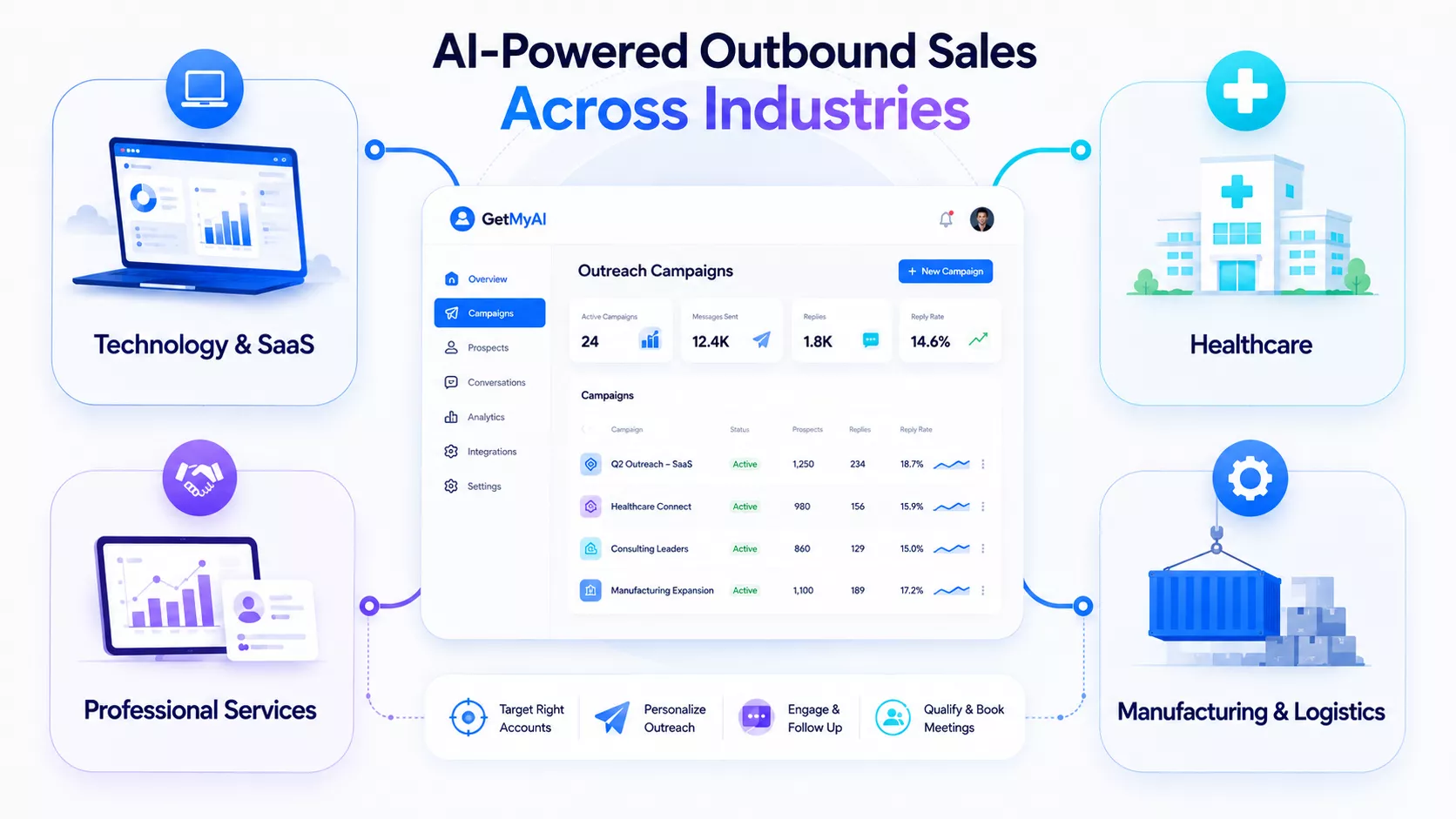
Impact of AI Chatbots Across Industries
For SaaS Teams: Onboarding speed directly impacts retention and activation. An AI Chatbot for SaaS helps guide users through initial workflows, reducing confusion and improving early-stage adoption. It can resolve 60–80% of support queries automatically, which reduces dependency on support teams and improves response consistency.
As the user base grows, this system scales without increasing cost proportionally. Businesses often see support cost reductions of up to 90% while maintaining high first-contact resolution and faster user activation across the platform.
For Education Providers: Educational institutions manage high volumes of repetitive inquiries across admissions, course selection, and student support services. Automating these interactions reduces manual workload, shortens response times, and allows staff to focus on higher-value academic and administrative tasks.
When institutions implement conversational AI for student engagement, they receive more timely document submissions and clearer applicant inputs. At the same time, institutions can provide applicants with enrollment steps, deadlines, and guidance without delays. This improves participation quality and contributes to measurable gains in both retention and overall enrollment outcomes.
For Healthcare Operations: Healthcare providers face constant pressure from appointment scheduling and patient communication. An AI chatbot for patient enquiries can handle routine questions, assist with bookings, and provide instant responses, reducing administrative call volume by 35–50%.
It also improves operational efficiency by increasing digital bookings and reducing no-show rates by nearly 30% through timely reminders. This ensures better resource utilization while maintaining a smoother patient experience.
5 Common Mistakes to Avoid When Building AI Chatbots
When you build an AI chatbot, performance depends on how the system is structured, not just how it is deployed. Many failures come from operational mistakes that affect accuracy, scalability, and user trust. A no-code AI chatbot for business still requires disciplined inputs, a clear scope, and continuous updates to perform reliably.
The following are the most common mistakes that affect chatbot performance, often stemming from poor AI chatbot training, along with practical ways to identify, fix, and prevent them effectively.
Poor Training Data Structure
- Uploading large, unorganized datasets leads to poor retrieval accuracy, where the system struggles to identify relevant context and produces inconsistent or partially correct responses.
- Structure content into focused sections with clear topics so the system retrieves precise information instead of scanning irrelevant data across multiple sources.
Undefined Use Case (Pilot Purgatory)
- Building a broad, undefined assistant without clear objectives results in low adoption, weak performance, and projects that never move beyond initial testing stages.
- Start with a narrow, high-volume use case with measurable outcomes, then expand based on real usage data and proven performance improvements.
Ignoring Continuous Updates (Data Staleness)
- Treating deployment as final leads to outdated responses when business data changes, causing the system to deliver incorrect or outdated information with high confidence.
- Regularly review conversations, identify gaps, and update knowledge sources to ensure responses stay accurate, relevant, and aligned with current business information.
No Fallback Handling for Unknown Queries
- Systems that attempt to answer every question without fallback logic often produce incorrect or misleading responses when the required information is not available.
- Define clear fallback behavior so the system acknowledges uncertainty and redirects users to alternative actions such as support escalation or follow-up processes.
Skipping Testing Across Channels
- Designing responses for one environment without testing across devices or channels leads to poor readability, especially on mobile interfaces, where long responses reduce clarity.
- Test response format, length, and structure across channels to ensure a consistent user experience and maintain engagement regardless of where interactions occur.
Build a Chatbot That Actually Performs
Use a platform built to handle training, updates, and performance tracking correctly from day one so your chatbot delivers accurate and consistent results at scale.
How to Choose the Right AI Chatbot Approach for Your Business
Choosing the right approach depends on where your business stands, not just what features you need. The goal is not only to create an AI chatbot in minutes but to ensure it fits your workflows, usage volume, and long-term objectives. An AI chatbot platform simplifies execution, but the real decision lies in aligning the system with how your operations run and scale over time.
Benefits of Using an AI Chatbot Platform
A no-code chatbot builder allows teams to test, deploy, and refine quickly without technical dependencies. Many platforms offer free versions, which can be used strategically to validate use cases before full-scale investment. This reduces risk and helps businesses move from testing to operational use faster while maintaining flexibility.
Benefits of Custom Development
Custom development provides deeper control over logic, integrations, and system behavior. It suits businesses with complex workflows or strict requirements. However, it requires longer timelines and higher costs. This approach works best when operations demand customization beyond what standard platforms can deliver at scale.
Why GetMyAI is the Right Solution for Your Business
Once you define the right approach, the next step is choosing a platform that can execute it without adding complexity. GetMyAI is built for businesses that want to move from testing to real deployment quickly while maintaining control over workflows, data, and performance. It aligns with key decision factors such as speed, scalability, and continuous improvement without requiring technical overhead.
Built for Execution, Not Just Setup
- Create, train, and deploy intelligent agents without coding while maintaining control over customization, data inputs, and visibility.
- Train using documents, links, and internal knowledge so responses stay grounded in real business context rather than generic outputs.
- Track real conversations, identify gaps, and improve responses through structured updates instead of one-time setup.
- Deploy across website, WhatsApp, and other channels to ensure consistent communication wherever users interact.
GetMyAI is designed to build AI agent chatbots for operational impact, not just setup. It helps automate support, capture leads, and manage conversations at scale while continuously improving through real usage, making it suitable from initial testing to full deployment.
FAQs
How do AI chatbots work for businesses?
AI chatbots work by processing user queries, retrieving relevant information from trained data sources, and generating responses in real time. They automate tasks like support, lead capture, and booking, while continuously improving through conversation data and performance tracking.
How much does it cost to build an AI chatbot?
The cost varies based on approach. Custom-built systems can range from thousands to hundreds of thousands of dollars, while platform-based solutions offer subscription pricing. Costs depend on complexity, usage volume, integrations, and whether ongoing maintenance is required.
How to build a chatbot for lead generation?
To build a chatbot for lead generation, define your qualification criteria, train the system with relevant data, and design conversational flows that capture user intent. With GetMyAI, you can create, train, and deploy a lead-focused chatbot quickly without coding.
How long does it take to build an AI chatbot?
Build time depends on various factors. Custom development can take months, while platforms like GetMyAI allow you to create and deploy a working chatbot in minutes. Additional time may be needed to refine responses and train it with business data.
Can AI chatbots replace human support?
AI chatbots cannot fully replace human support but can handle repetitive and high-volume queries efficiently. They reduce workload, improve response speed, and allow human teams to focus on complex issues that require judgment, empathy, and deeper problem-solving.