Choosing the right chatbot is no longer just a technical decision. It directly affects customer experience, support costs, operational efficiency and your ability to scale conversations without increasing headcount. As conversational AI continues to evolve, se…
Experience Boost
Create. Deploy. Engage. With GetMyAI
Launch GPT-powered conversations that engage, support, and convert — all in one platform.
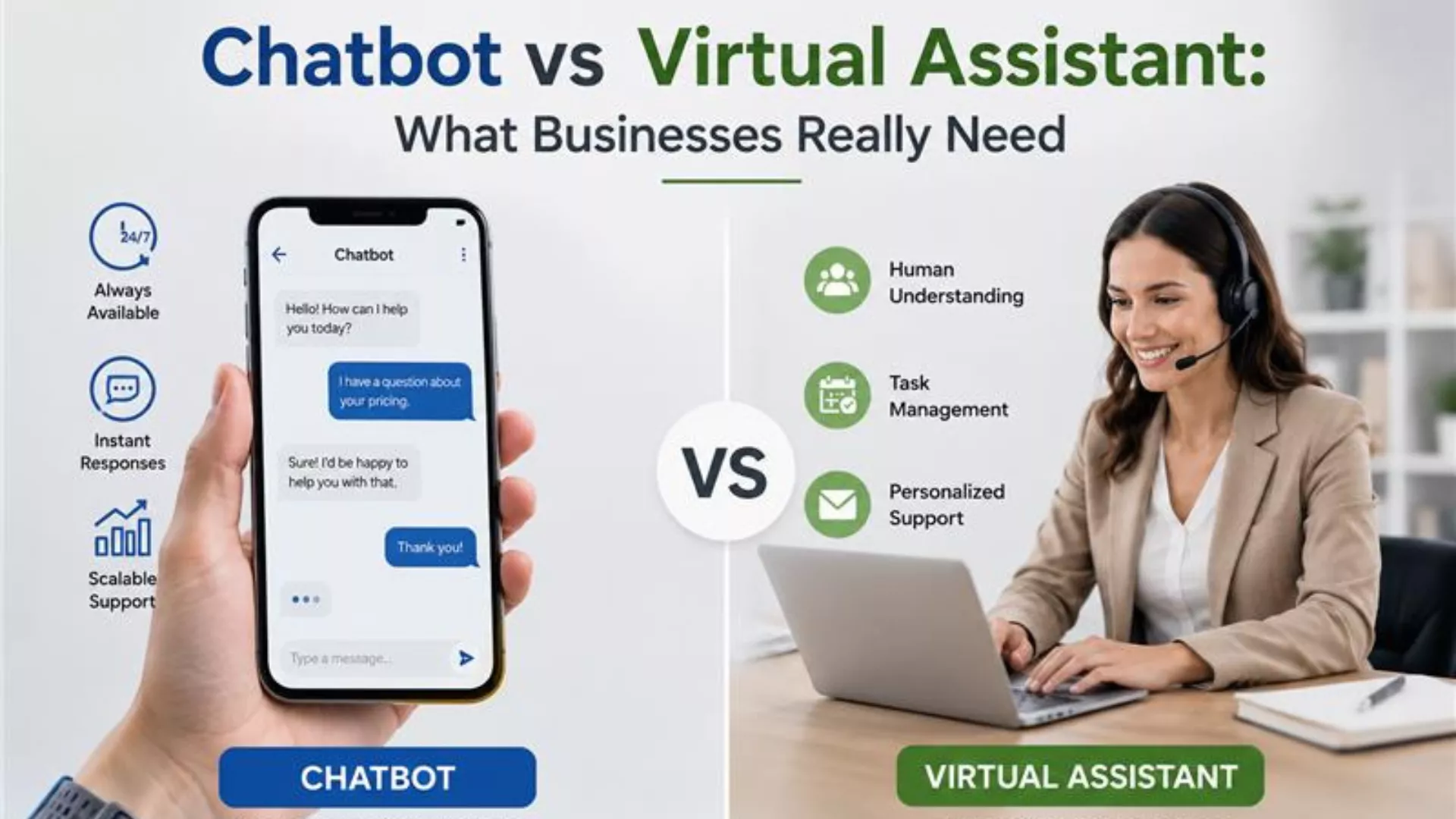
AI Chatbot vs Virtual Assistant: What Businesses Really Need
GetMyAI
Feb 17, 2026
AI Chatbot vs. Virtual Assistant
Conversational AI for Business
Customer Support Automation
AI chatbot vs AI assistant for business
virtual assistant vs chatbot for customer service
Key Takeaways
AI chatbots are built for structured conversations, while virtual assistants focus on executing tasks across systems
Most businesses benefit from chatbots first, especially for customer-facing communication and support
Virtual assistants are better suited for internal workflows and multi-system automation
Modern AI chatbots use meaning-based retrieval and trained knowledge sources for accurate responses
Platforms like GetMyAI provide centralized control, analytics, and continuous improvement for scalable AI adoption
Artificial intelligence is no longer a future concept. It has become a core part of how businesses communicate, support customers, and scale operations. But as adoption increases, so does confusion.
Terms like chatbot, AI assistant, and AI agent are often used interchangeably, even though they serve very different purposes. This confusion leads many businesses to adopt overly complex systems when a simpler, more focused solution would deliver better results.
In reality, most companies do not need a system that tries to do everything. They need a system that does one thing exceptionally well: structured, reliable communication. This is where a platform like GetMyAI becomes relevant, offering businesses a clear way to manage conversations without unnecessary complexity.
Understanding Chatbots
A chatbot is a conversational system built on conversational AI technology, designed to interact with users and provide structured, accurate responses. Its primary role is to answer questions, guide users, and deliver information based on a defined knowledge base. When discussing the differences in AI-driven tools, the concept of AI Chatbot vs Virtual Assistant often arises, as each serves distinct roles despite both leveraging conversational technology.
How Chatbots Work
Modern chatbots rely on meaning-based understanding rather than simple keyword matching. Instead of reacting to exact phrases, they:
Interpret user intent
Retrieve relevant information from knowledge sources
Generate context-aware responses
This allows them to handle natural conversations and follow-up questions more effectively.
What Chatbots Are Designed For
Chatbots are built for structured, repeatable communication tasks such as:
Answering frequently asked questions
Guiding users through processes
Providing product or service information
Handling high-volume conversations
What Chatbots Are Not Designed For
Chatbots are not intended to:
Execute complex workflows across multiple systems
Manage internal operational processes
Replace task-oriented automation tools
Their strength lies in clarity and communication, not execution.
How GetMyAI Structures Chatbots
With GetMyAI, chatbot behavior is controlled through a centralized Dashboard. Businesses can:
Upload documents, FAQs, and internal knowledge
Ensure responses come only from verified sources
Retrain agents when information changes
This ensures consistent, accurate, and controlled communication at scale.
Use Cases of AI Chatbots
Chatbots are most effective in high-volume environments where speed, consistency, and customer engagement automation matter.
Customer Support: Chatbots handle repetitive queries instantly, reducing response time and ensuring consistent answers across all users.
Lead Generation & Qualification: They guide users through structured questions to capture intent and identify high-quality leads.
Customer Onboarding: Chatbots help new users understand products, features, or services without requiring manual assistance.
Appointment Scheduling: With integrations like Calendly, chatbots can book, reschedule, or confirm meetings directly within conversations.
Internal Knowledge Access: Employees can retrieve documents, policies, and guidelines instantly without searching across systems.
Sales & Product Guidance: They assist users in choosing the right plans or services by providing relevant recommendations.
Real-World Examples of AI Chatbots
Chatbots create a measurable impact by transforming how businesses handle communication. Instead of relying on manual processes, they introduce speed, consistency, and scalability across different environments.
SaaS Platforms
Before: Users submit tickets or browse documentation to understand product features, pricing, or integrations
After: Chatbots provide instant, contextual answers directly within the website or application, helping users make faster decisions
Customer Support Operations
Before: Support teams handle high volumes of repetitive queries, leading to delays and inconsistent responses
After: Chatbots instantly resolve common requests such as order updates, policies, and account queries, reducing workload and improving response time
Healthcare & Service-Based Industries
Before: Patients and clients rely on calls or emails for basic administrative information
After: Chatbots provide consistent answers to common questions such as appointment procedures or service guidelines, improving accessibility without increasing operational strain
E-commerce & Service Businesses
Before: Customers wait for updates on orders, returns, or service status
After: Chatbots deliver real-time updates and structured responses, improving customer experience and reducing support dependency
Internal Team Support
Before: Employees search across multiple systems or contact internal teams for information
After: Chatbots provide instant access to policies, documentation, and process guidelines through a single conversational interface
Continuous Improvement with GetMyAI
With GetMyAI, these real-world applications are not static. Every interaction is tracked in the Activity section, where teams can review conversations and identify gaps.
Unanswered queries can be converted into Q&A entries, allowing businesses to continuously refine chatbot responses. Over time, this creates a system that becomes more accurate, reliable, and aligned with real user needs.
Understanding AI Virtual Assistants
AI virtual assistants are built for execution. While chatbots focus on delivering structured answers, virtual assistants are designed to carry out tasks across systems, acting more like an operational layer inside a business.
To understand how they function, it helps to look at how they behave in real workflows rather than just definitions.
Scenario 1: Internal Operations Automation
A team member needs to schedule a meeting, update a client record, and notify another department. Instead of performing each step manually, a virtual assistant can execute the entire sequence. It connects to calendar systems, internal databases, and communication tools, completing multi-step actions without human intervention.
This illustrates the core role of an AI virtual assistant: it does not just respond, it performs.
Scenario 2: Cross-System Workflow Execution
In more complex environments, actions often span multiple tools. A single request might involve retrieving data from one system, updating another, and triggering a workflow elsewhere. Virtual assistants are designed for this kind of orchestration.
Their value lies in:
Coordinating actions across systems
Reducing manual handoffs between teams
Automating repetitive operational processes
Scenario 3: Administrative Task Management
Virtual assistants are commonly used to handle tasks such as:
Scheduling meetings
Managing internal requests
Updating records or logs
Triggering predefined workflows
These tasks are not conversational challenges; they are operational ones. The assistant’s role is to ensure that processes move forward without delay.
How AI Virtual Assistants Work
To better understand their structure, you can think of a virtual assistant as operating in three layers:
1. Input Layer (Request)
The user provides an instruction, such as scheduling a meeting or updating information.
2. Decision Layer (Logic + Context)
The system interprets the request and determines which systems, tools, or workflows are involved.
3. Execution Layer (Action Across Systems)
The assistant performs the required actions across connected platforms, completing the task end-to-end.
Where Virtual Assistants Deliver Value
Virtual assistants are most effective in environments where:
Tasks involve multiple steps or systems
Processes require automation rather than explanation
In these cases, their ability to execute workflows becomes a clear advantage.
Where They May Add Unnecessary Complexity
Despite their capabilities, virtual assistants are not always the right fit. They may be excessive for:
Customer-facing Q&A environments
Structured knowledge delivery
High-volume conversational interactions
Scenarios requiring strict, controlled responses
In these situations, introducing workflow automation instead of conversational clarity can create unnecessary complexity.
Strategic Perspective
AI virtual assistants are powerful, but their strength lies in action, not communication. They are best suited for organizations that need to automate internal operations and connect multiple systems into a unified workflow. For businesses focused on delivering accurate, scalable conversations, especially in customer-facing environments, a structured conversational system often provides a more direct and efficient solution.
Use Cases of AI Agents
AI virtual assistants are designed for execution rather than conversation. Their value becomes clear in environments where tasks require coordination across systems and processes, not just structured responses. Their use cases typically fall into distinct operational categories:
1. Workflow Automation Across Systems
AI agents manage multi-step processes that span different tools and platforms. They can trigger actions, move data between systems, and ensure workflows run without manual intervention.
These systems are most effective when a single request requires multiple backend actions rather than a simple answer.
2. Administrative Task Execution
AI agents reduce the burden of repetitive administrative work. They can handle scheduling, meeting coordination, and internal requests with minimal human input. Through integrations such as Calendly, they can automatically manage availability and confirm bookings, eliminating back-and-forth communication.
3. Data Management and System Updates
In many organizations, data must be updated across multiple systems. AI agents automate this process by syncing records, updating entries, and triggering backend changes. This ensures consistency while reducing the risk of manual errors.
4. Internal Support Automation
AI agents are frequently used to support internal operations such as IT helpdesk requests, HR queries, and employee workflows. Instead of routing every request through manual processes, these systems can resolve or initiate actions directly within internal tools.
5. Process Orchestration at Scale
In larger environments, workflows often involve multiple teams and approval layers. AI agents coordinate these processes, ensuring tasks move forward without delays or bottlenecks. They act as connectors between systems, maintaining operational flow across departments.
When AI Agents Are the Right Choice
AI virtual assistants are most effective when:
Tasks involve multiple systems or platforms
Workflows require execution rather than explanation
Processes include scheduling, updates, or approvals
Operational efficiency depends on reducing manual intervention
In these cases, AI agents function as execution engines that streamline internal operations. However, when the primary need is structured communication, knowledge delivery, or high-volume interaction, a different type of system is typically more effective.
Real-World Examples of AI Agents
AI virtual assistants transform how operational tasks are handled across organizations.
Before AI Agents:
Manual scheduling and coordination
Repetitive data entry across systems
Delays in workflow execution
Heavy reliance on human intervention
After AI Agents:
Automated meeting scheduling via tools like Calendly
Real-time data updates across systems
Instant workflow execution
Reduced manual workload across teams
In enterprise environments, this shift enables teams to focus on strategic work while routine processes run automatically. These examples highlight a key distinction: AI agents are built to act across systems, not just respond within conversations.
Key Differences Between Chatbots and AI Virtual Assistants
Overview of Key Differences Between AI Virtual Assistants and Chatbots
Aspect
Chatbots
AI Virtual Assistants
Primary Purpose
Structured communication
Task execution and workflow automation
Core Function
Answer questions and guide users
Perform actions across systems
Deployment
Website, WordPress, Slack, WhatsApp, Telegram
Internal tools and integrated systems
Complexity
Focused and communication-driven
Broad and integration-heavy
Implementation Effort
Faster setup and deployment
Requires deeper integrations and configuration
Data Source
Knowledge base (documents, FAQs, Q&A)
Connected systems, APIs, and workflows
Adaptability
Improves through Q&A updates and retraining
Improves through workflow optimization and integrations
Context Handling
Maintains conversational context
Extends context across systems and tasks
Primary Users
Customers, website visitors, external users
Internal teams and operational users
Control & Predictability
High control with defined responses
More flexible but less predictable due to execution logic
Risk Level
Lower risk due to controlled outputs
Higher risk if workflows or integrations are misconfigured
Interpreting the Difference
Chatbots are designed to deliver clarity at scale. They operate within a controlled knowledge environment, ensuring that every response is accurate, consistent, and aligned with the business. Their strength lies in structured communication, making them ideal for handling high-volume interactions without compromising quality.
AI virtual assistants, on the other hand, are designed for execution. They interpret user requests and perform actions across systems, coordinating workflows that may involve multiple tools and processes. Their strength lies in automation depth rather than communication precision.
This is not a difference in capability, but in purpose.
Decision Perspective
Choosing between a chatbot and an AI virtual assistant depends on the problem you are solving:
If your goal is to improve communication, provide instant answers, and scale customer or user interaction, a chatbot is a more effective solution.
If your goal is to automate workflows, execute tasks across systems, and reduce manual operational effort, an AI virtual assistant is more appropriate.
In practice, most businesses begin by solving communication challenges first. As operational complexity grows, workflow automation systems may be introduced later.
Strategic Takeaway
Chatbots optimize how businesses communicate. AI virtual assistants optimize how businesses operate. Understanding this distinction ensures that you invest in the right system for your current needs, rather than adding unnecessary complexity too early.
AI Virtual Assistant or AI Chatbot: Which One Do You Need?
The right choice depends on your primary challenge.
If you need to answer questions at scale → Use a chatbot
If you need to execute tasks across systems → Use a virtual assistant
If you need to improve customer interaction first → Start with a chatbot
If you need to automate internal operations → Consider an AI assistant
Why Most Businesses Start with Chatbots
In most cases, communication breaks before operations do. Customers ask the same questions repeatedly. Support teams struggle with volume. Responses become inconsistent.
GetMyAI addresses this by creating a structured conversational layer where knowledge is controlled, responses are consistent, and performance improves continuously through Activity tracking and Q&A updates.
When to Move Beyond Chatbots
As workflows become more complex and require system-level execution, AI virtual assistants can be introduced to automate processes across tools.
Future Trends and Integration
The future of AI systems is not about choosing between chatbots and virtual assistants. It is about how both evolve to solve different layers of business problems with clarity, control, and measurable impact.
As businesses move beyond experimentation, the focus is shifting toward systems that combine intelligence with reliability rather than complexity for its own sake.
1. Smarter Conversational Intelligence
Chatbots are becoming significantly more advanced in how they understand and respond to users. Instead of relying on keywords, modern systems use meaning-based retrieval to interpret intent, maintain context, and deliver accurate answers across multi-step conversations. Platforms like GetMyAI already reflect this shift by allowing businesses to train agents on verified knowledge sources through the Dashboard, ensuring responses remain structured and controlled.
Reality check: More intelligence does not automatically mean better outcomes. Without clear knowledge boundaries, AI systems risk producing inconsistent or unreliable responses. Controlled intelligence is becoming more valuable than raw capability.
2. Controlled vs Autonomous AI Systems
A clear distinction is emerging between controlled AI systems and autonomous AI systems. Chatbots operate within defined knowledge environments, ensuring every response is traceable and aligned with business data. Virtual assistants, on the other hand, are evolving toward greater autonomy, executing tasks across systems with minimal human input.
Reality check: While autonomy sounds powerful, many businesses are not ready for fully autonomous systems operating across critical workflows. Control, auditability, and predictability remain essential for real-world adoption.
3. Integration Without Complexity
Integration will continue to expand, but the priority is shifting from “more integrations” to “smarter integrations.” Businesses want systems that connect where necessary without creating operational overhead. Chatbots like GetMyAI integrate into existing environments such as websites, WordPress, Slack, WhatsApp, and Telegram, enabling communication without forcing a complete system overhaul.
Reality check: Highly integrated systems often introduce hidden complexity, from maintenance overhead to data inconsistencies. The most effective solutions are those that deliver value without increasing system friction.
4. Continuous Improvement as Infrastructure
AI systems are no longer static deployments. They are becoming continuously evolving systems that improve through real-world usage. With GetMyAI, every interaction is tracked in the Activity section, and gaps are identified through Unanswered Questions. Teams can refine responses using the Q&A workflow, creating a structured improvement loop over time.
Reality check: Without a clear improvement process, AI systems degrade in quality. Continuous refinement is not an advanced feature anymore; it is a fundamental requirement for long-term reliability.
5. Hybrid Human + AI Workflows
The future of AI is not replacement, but collaboration. Chatbots will handle high-volume, repetitive interactions, while human teams focus on complex, high-value tasks. This creates a balanced system where efficiency improves without sacrificing decision quality or customer experience. GetMyAI supports this model by enabling scalable communication while maintaining visibility and control over every interaction.
Reality check: AI alone does not solve operational challenges. The real value comes from how well it integrates with human workflows and enhances team productivity.
The direction is clear. Businesses are moving toward AI systems that are intelligent, measurable, and controlled. Instead of chasing fully autonomous automation, organizations are prioritizing solutions that deliver immediate value with long-term stability. This is where GetMyAI aligns with future demand, not by adding unnecessary complexity, but by structuring conversational AI into a reliable, scalable layer of business operations.
Choosing the Right AI Assistant for Your Use Case
Choosing the right solution starts with understanding your operational needs.
If your priority is communication, knowledge delivery, and scalable interaction, a chatbot is the most practical and effective solution.
If your priority is task execution and workflow automation across systems, a virtual assistant becomes relevant.
For most organizations, starting with structured conversational AI creates a strong foundation. It brings clarity, reduces workload, and improves user experience without requiring deep technical integration.
With GetMyAI, businesses can implement this approach through a controlled, measurable system that evolves over time. From knowledge training to Activity insights and Q&A improvement, the platform provides everything needed to build a reliable conversational infrastructure.
FAQs
1. What is the difference between an AI chatbot and a virtual assistant?
A chatbot handles structured conversations and answers questions. A virtual assistant executes tasks across systems and automates workflows.
2. Why should businesses start with a chatbot first?
Because communication is usually the first bottleneck. Chatbots quickly improve response time, consistency, and user experience.
3. Can chatbots handle scheduling and lead generation?
Yes. Chatbots can capture leads and schedule meetings using integrations like Calendly within structured conversations.
4. How does GetMyAI improve chatbot performance over time?
It tracks conversations in the Activity section and uses Q&A updates to continuously improve response accuracy
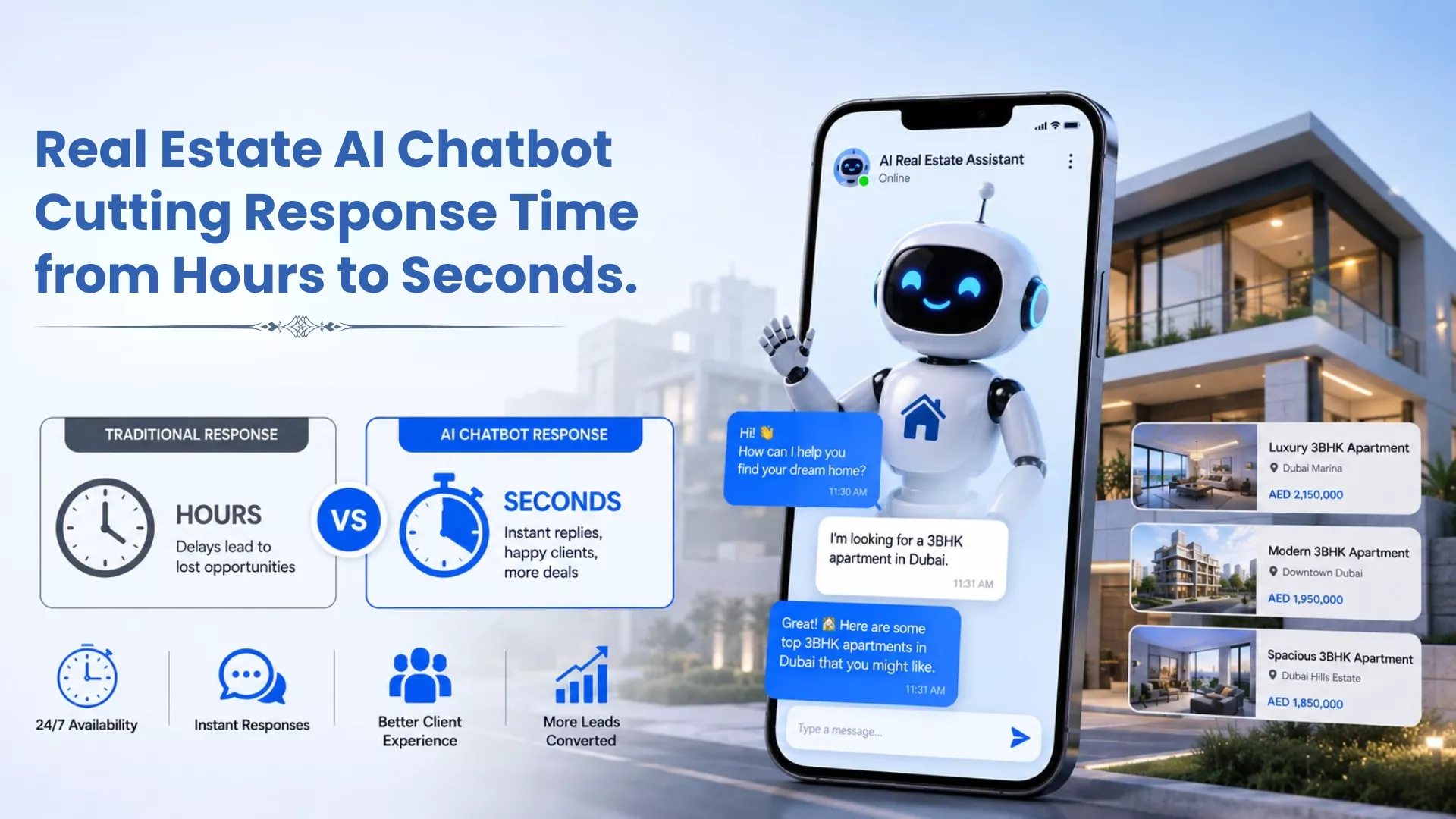
Picture your two busiest months of the year. Enquiries arrive after hours, over weekends and during viewings when your team is unavailable. Every unanswered message is a buyer who moves on. Every delayed reply is a lead your competitor picks up instead. AI-pow…
Your AI customer support vendor just sent you a case study. Eighty percent automation. Thousands of tickets resolved. Zero human intervention. It sounds like the future of your support team is already here. But before you sign the contract, there is a number y…