Types of Chatbots Explained: Models, Use Cases and Decision Criteria

Key Takeaways
- Match your chatbot to conversation complexity first. Gartner expects AI agents in 40% of enterprise apps by 2026.
- Ditch siloed chatbot tools. AI-powered support cuts service costs up to 30% and speeds up responses.
- Hybrid chatbots win at enterprise scale. Mature setups resolve 70 to 90% of enquiries without human help.
- Don't rush AI agents. 62% still sit in pilot phase, waiting on governance, clean data and solid integrations.
- Pick a platform that adds AI agents without adding new tools. That's how you avoid tool sprawl later.
Choosing the right chatbot is no longer just a technical decision. It directly affects customer experience, support costs, operational efficiency and your ability to scale conversations without increasing headcount. As conversational AI continues to evolve, selecting the right architecture has become as important as adopting the technology itself.
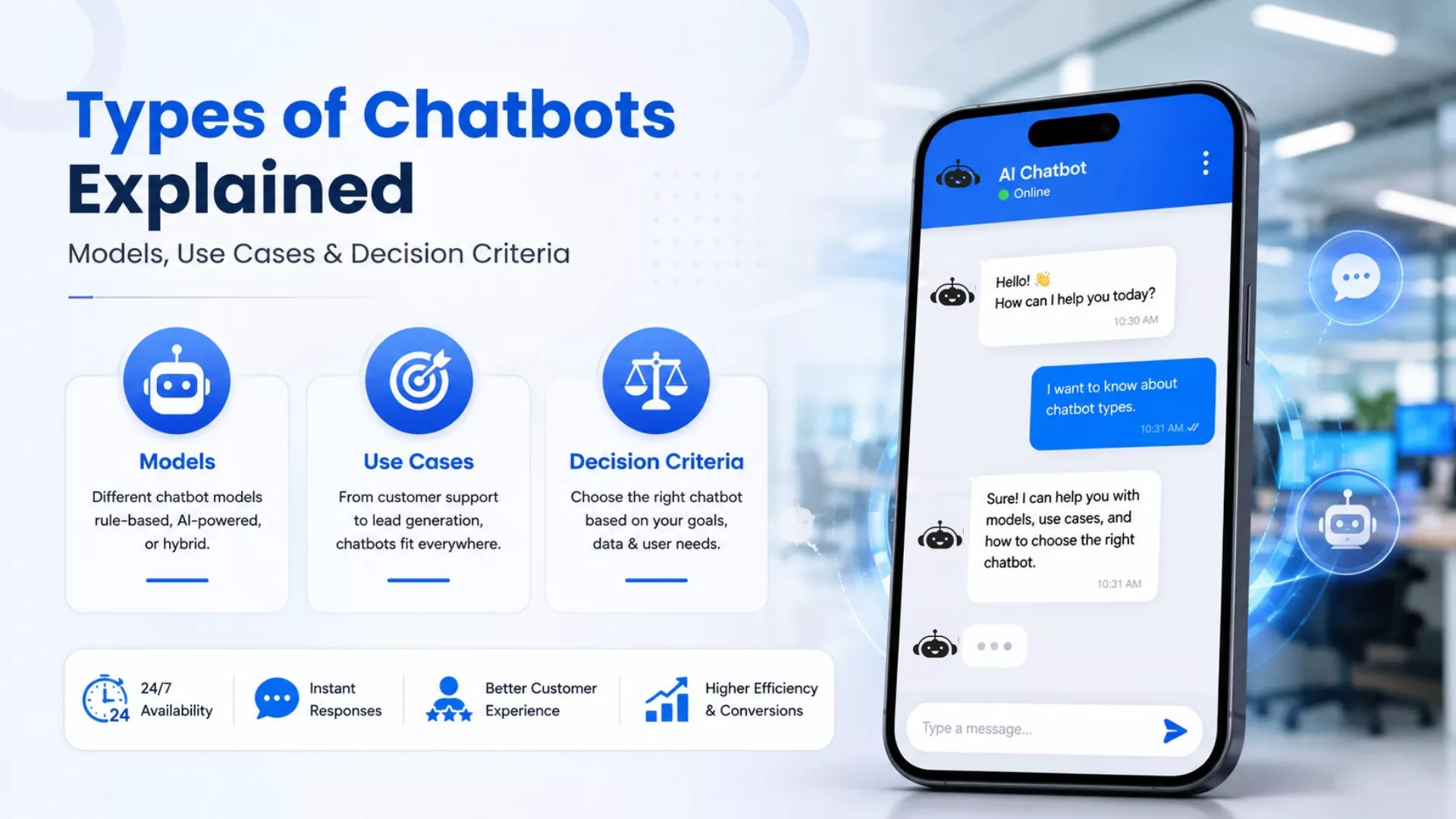
Types of chatbots range from simple rule-based systems to advanced AI-powered assistants, document-trained chatbots, hybrid models and AI agents. Each type differs in how it understands questions, retrieves information, automates tasks and supports customer or employee interactions. The right choice depends on your business goals, knowledge sources, integration requirements and the complexity of conversations you need to handle.
This guide explains the major chatbot models, how they work, where each one performs best, their common business use cases and the key factors to evaluate before choosing a chatbot for your organisation.
From Rule-Based Bots to AI Agents: How Business Chatbots Have Evolved
Conversational AI is no longer just a support tool. Businesses now use it to automate customer service, assist employees, qualify leads and surface knowledge from internal documents. Repetitive tasks disappear fast. But responsibilities keep expanding. Pick the wrong chatbot model and costs climb. AI chatbot maintenance challenges pile up, too. Your AI investment stops paying off the way it should.
The numbers back this up. Gartner expects AI agents for customer support to power 40% of enterprise applications by 2026, up from under 5% in 2025. McKinsey found that AI in customer support cuts service costs by up to 30% while speeding up response times. Yet many organisations still guess at architecture instead of choosing it. Get that decision wrong, and migrations get expensive fast.
The Main Types of Chatbots Explained
1.Rule-Based Chatbots
Rule-based chatbots are the simplest type of chatbot. They follow predefined rules and decision trees to guide users through fixed conversation paths, delivering predictable responses but limited flexibility.
They operate using if-then logic, where each user input triggers a predefined step. Unlike AI chatbots, they don’t understand intent or context. They simply match inputs to programmed rules.
Example: A bank uses a rule-based chatbot to help customers activate debit cards or reset PINs. Each user follows the same structured workflow before complex queries are handed to a support agent.
Strengths
- Predictable and consistent responses
- Quick to deploy and maintain
- Effective for repetitive structured workflows
Limitations
- Cannot understand intent or context
- Requires frequent manual updates
- Difficult to scale complex workflows
Best use cases: FAQs, appointment booking, password resets and basic customer support.
When should you upgrade?
If users ask questions in varied ways or your content changes frequently, a document-trained or hybrid AI chatbot is a better fit.
2.Keyword-Based Chatbots
Keyword-based chatbots identify specific words or phrases in a user's message and return a pre-programmed response. They offer more flexibility than rule-based chatbots but still rely on matching keywords rather than understanding user intent.
Keyword-based chatbots handle expected phrasing fine. Say something differently and accuracy drops fast. Industry research keeps pointing to the same weak spot: intent recognition. That's why businesses move to natural language understanding once support volume grows and customer questions stop following a predictable script.
Example: An e-commerce store uses a keyword-based chatbot to answer shipping and return questions. A customer typing "Where is my order?" gets tracking details, but a differently phrased query may not trigger the correct response.
Strengths
- More flexible than rule-based chatbots
- Quick to implement and cost-effective
- Works well for predictable queries
Limitations
- Cannot understand intent or context
- Sensitive to wording and spelling
- Requires constant keyword updates
Best use cases: Product enquiries, shipping updates, pricing questions and basic support.
When should you upgrade?
If queries vary widely or require context, an NLP-powered chatbot offers better accuracy.
3.Machine Learning Chatbots
Machine learning chatbots improve their responses by learning from historical conversations and user interactions. Unlike keyword-based systems, they recognise patterns over time, helping them handle a wider variety of customer queries without requiring every response to be manually programmed.
They learn from previous conversations to recognise patterns and improve future responses. Enterprise deployments show mature conversational AI can automate 55%–70% of Tier-1 support enquiries, but success still depends on accurate, well-maintained training data.
Example: A SaaS company uses a machine learning chatbot to support customers' onboarding. As more users ask setup questions, the chatbot learns common interaction patterns and provides increasingly relevant guidance.
Strengths
- Learns from historical interaction data
- Handles broader conversation patterns
- Improves accuracy with continued usage
Limitations
- Requires high-quality training data
- Needs ongoing monitoring and optimisation
- Performance depends on clean datasets
Best use cases: High-volume customer support, product onboarding and long-term chatbot optimisation.
When should you upgrade?
If your chatbot needs to answer document-based questions or manage complex workflows, document-trained or hybrid AI chatbots are a better choice.
4.Document-Trained AI Chatbots
Document-trained AI chatbots pull answers straight from your business content. Think FAQs, policies, product documentation and knowledge bases. They search by meaning, not keywords. That single shift makes responses more accurate and more relevant to what customers actually asked.
Semantic search does the work, often powered by Retrieval-Augmented Generation, or RAG. It finds the most relevant information first, then generates a response. This cuts hallucinations and keeps answers grounded in your approved content, provided documents stay accurate and current.
Example: A software company uploads its help centre, API documentation and onboarding guides. A customer asks a technical question. The chatbot pulls the exact documentation needed and answers from it, instead of falling back on a generic response.
Strengths
- Uses existing business knowledge
- Delivers consistent, grounded answers
- Minimal setup and maintenance
Limitations
- Depends on the document quality
- Cannot fix conflicting information
- Requires regular content updates
Best use cases: Customer support knowledge bases, internal employee assistance, product documentation and policy search.
When should you upgrade?
Upgrade to a hybrid chatbot when you need the chatbot to do more than answer questions, such as processing transactions, accessing live systems or completing multi-step workflows.
5.Context-Aware AI Chatbots
Context-aware AI chatbots remember what a customer already said. They catch follow-up questions. They understand references. They adjust when intent shifts mid-conversation. Traditional chatbots treat every message as brand new. This one carries the thread forward and gives answers that feel accurate and personal.
Customers stopped tolerating repetition. Research shows 73% expect businesses to maintain context across channels, even when they move from chatbot to live agent or switch from phone to laptop mid-conversation. Less repetition means a smoother experience from start to finish.
Example: A customer asks about a delayed order, then adds, "Can I change the delivery address instead?" The chatbot knows "it" means the same order. No repeated details needed. The conversation just continues.
Strengths
- Remembers previous conversation context
- Supports natural follow-up questions
- Improves customer experience
Limitations
- Depends on accurate session data
- Can inherit earlier misunderstandings
- Requires effective memory management
Best use cases: Customer support, technical troubleshooting, account management and internal IT helpdesks.
When should you upgrade?
If your chatbot needs to complete actions across business systems rather than maintain conversations, consider a hybrid chatbot or AI agent.
6.Hybrid Business Chatbots
Hybrid business chatbots combine deterministic workflows with AI-powered conversations, allowing businesses to automate structured tasks while handling open-ended questions more naturally. They use rule-based logic for predictable actions, such as booking appointments or processing requests and document-trained AI to answer complex questions from business knowledge.
This architecture is preferred for enterprise deployments because it balances control with flexibility. Industry benchmarks show mature hybrid chatbots achieve 70%–90% containment rates, meaning most customer enquiries are resolved without requiring human intervention while maintaining reliable escalation paths for more complex issues.
Example: An airline chatbot books flight changes through predefined workflows while answering baggage policies, visa requirements and travel restrictions using its knowledge base within the same conversation.
Strengths
- Combines automation with AI flexibility
- Balances accuracy and scalability
- Supports controlled human handoffs
Limitations
- Requires careful workflow design
- More complex to implement
- Needs ongoing optimisation
Best use cases: Enterprise customer support, banking, healthcare, e-commerce and multi-channel service operations.
When should you upgrade?
If your business needs AI to complete multi-step tasks, interact with multiple business systems or make autonomous decisions, consider deploying AI agents.
7.AI Agents
AI agents go beyond answering questions to reason and complete multi-step tasks across connected business systems. Unlike traditional chatbots that respond to individual prompts, an AI Agent for Business can retrieve information, interact with APIs, execute workflows and adapt its actions based on changing conditions to achieve a defined goal.
Although interest is growing rapidly, enterprise adoption is still in its early stages. Research shows 62% of AI agent initiatives remain in the pilot phase, with only a small proportion reaching full production because organisations must address governance, data quality and security before enabling autonomous workflows at scale.
Example: An IT support agent investigates a software issue, checks system logs, creates a support ticket, updates the CRM, notifies the employee and schedules a follow-up without requiring manual intervention.
Strengths
- Automates complex business workflows
- Connects multiple business systems
- Executes goal-driven tasks autonomously
Limitations
- Requires strong governance controls
- Complex enterprise implementation
- Depends on reliable integrations
Best use cases: IT operations, customer service automation, claims processing, procurement, HR workflows and enterprise process automation.
When should you upgrade?
AI agents represent the most advanced conversational architecture available today. They are best suited for organisations that have already established reliable data, integrations and governance and now want AI to execute business processes rather than simply answer questions.
Build the Right AI Agent
Create AI agents that answer from your business knowledge, automate support, and scale with your organisation.
| Chatbot Type | Best For | Business Complexity | Setup Effort | Scalability | Recommended When |
| Rule-Based | FAQs, password resets, appointment booking | Low | Low | Low | Your support follows fixed workflows |
| Keyword-Based | Product queries, shipping updates, pricing | Low–Medium | Low | Low–Medium | Customers ask predictable questions |
| Machine Learning | High-volume customer support, onboarding | Medium | Medium–High | Medium | You have large volumes of historical conversation data |
| Document-Trained AI | Knowledge bases, policies, product documentation | Medium | Low–Medium | High | Your business already has well-structured documentation |
| Context-Aware AI | Multi-turn support, account management, IT helpdesks | Medium–High | Medium | High | Conversations require memory and follow-up questions |
| Hybrid Chatbots | Enterprise customer support, banking, healthcare, e-commerce | High | High | High | You need both structured workflows and AI-powered conversations |
| AI Agents | Workflow automation, IT operations, procurement, HR | Very High | High | Very High | AI needs to complete actions across business systems |
How to Choose the Right Chatbot for Your Business
Choosing the right chatbot starts with understanding your business requirements rather than comparing features. The most effective solution is the one that matches your customer interactions, internal processes, and long-term automation goals.
Before selecting a chatbot platform, evaluate these five factors:
- Business objective: Decide whether the chatbot will handle customer support, lead qualification, employee assistance, knowledge retrieval, or workflow automation.
- Conversation complexity: Match the chatbot to the types of questions you receive. Rule-based chatbots suit repetitive tasks, while document-trained, hybrid, and AI-powered chatbots perform better for complex or context-rich conversations.
- Knowledge quality: Review your FAQs, product documentation, policies, and help centre content. Even the most advanced AI chatbot depends on accurate, well-maintained information to deliver reliable answers.
- Integrations and workflows: If the chatbot needs to connect with your CRM, helpdesk, ERP, or other business systems, choose a platform that supports secure integrations and scalable automation.
- Long-term scalability: Consider analytics, governance, human handoff, multilingual support, security, and ongoing maintenance to ensure the chatbot continues delivering value as your business grows.
Selecting a chatbot based on these criteria helps reduce implementation risks while improving customer experience, operational efficiency, and long-term return on investment.
Why Businesses Choose GetMyAI
Single-purpose chatbots lose effectiveness when support volume, product questions, lead capture and policy queries grow past the system's original configuration. Managing that growth across separate tools increases operational cost and slows response accuracy.
A business configures a system to answer FAQs, resolve password resets or handle appointment booking. As support volume grows, that single function is no longer enough.
Product questions come in. Leads need to be captured. Policies need explaining across multiple channels. Teams then add separate tools for each function, because the original chatbot was not built to handle them.
Operational signs that a business has outgrown a single-purpose chatbot
- Support, FAQs and lead capture run through three or four disconnected systems
- Support agents manually pull answers from spreadsheets during live conversations
- A policy update takes several days to reach every deployed channel
- Product or catalogue questions go unanswered because that data sits outside the chatbot's configuration
Each disconnected tool adds a separate point of maintenance. Response accuracy drops as content across systems falls out of sync.
GetMyAI solves this with no-code agent building. Teams configure a new AI agent for support, product questions or lead capture, deploy it without hiring developers, and connect it across web, app, WhatsApp, Telegram, Slack and customer portals, retrieving answers from documents, websites and knowledge bases.
Adding a new use case means configuring a new agent inside the existing environment. It does not require adopting a new tool or rebuilding the deployed system.
What changes after deployment
An AI agent's accuracy depends on the content it retrieves from. As products, policies and customer questions change, that content needs review. Teams manage this through.
- Validating agent responses before launch
- Reviewing completed customer conversations
- Converting unresolved enquiries into new training content
- Tracking adoption and resolution rates through analytics
- Updating agent configuration as source documents change
This is ongoing maintenance work, not a one-time setup step. An AI customer support platform that skips this step loses accuracy within months of launch, regardless of how well it performed at deployment.
For a business evaluating conversational AI, this is the operational requirement to check for. The platform should support adding new agents and use cases as requirements expand, without adding a new tool or vendor each time.
Ready To Move Beyond Chatbots?
See how AI agents support customer service, knowledge retrieval and workflow automation from one platform.
FAQs
What is the difference between a chatbot and an AI agent?
A chatbot responds to individual queries using rules, keywords or retrieved documents. An AI agent reasons across multiple steps, connects to business systems and completes tasks like updating a CRM or creating a support ticket without manual input.
How do I choose the right AI customer support platform?
Match the platform to conversation complexity, knowledge quality and integration needs. Rule-based systems suit fixed workflows. Document-trained or hybrid platforms handle complex queries better and scale across support, sales and internal use cases.
Can AI agents handle complex customer support tickets?
Yes, AI agents can investigate issues, check system logs, update records and escalate when needed. This depends on governance controls, data quality and system integrations being in place before deployment, since 62% of AI agent initiatives remain in the pilot phase.
What is the ticket deflection rate in AI customer support?
Ticket deflection rate measures the percentage of customer enquiries an AI chatbot or agent resolves without human intervention. Mature hybrid chatbots typically achieve 70 to 90% containment, reducing the volume of tickets that reach live support agents.
What are the limitations of AI chatbots in customer service?
Limitations vary by chatbot type. Rule-based systems cannot understand intent. Keyword-based systems misread varied phrasing. Even advanced AI chatbots depend on document quality and training data, and answers stay only as accurate as the content behind them.